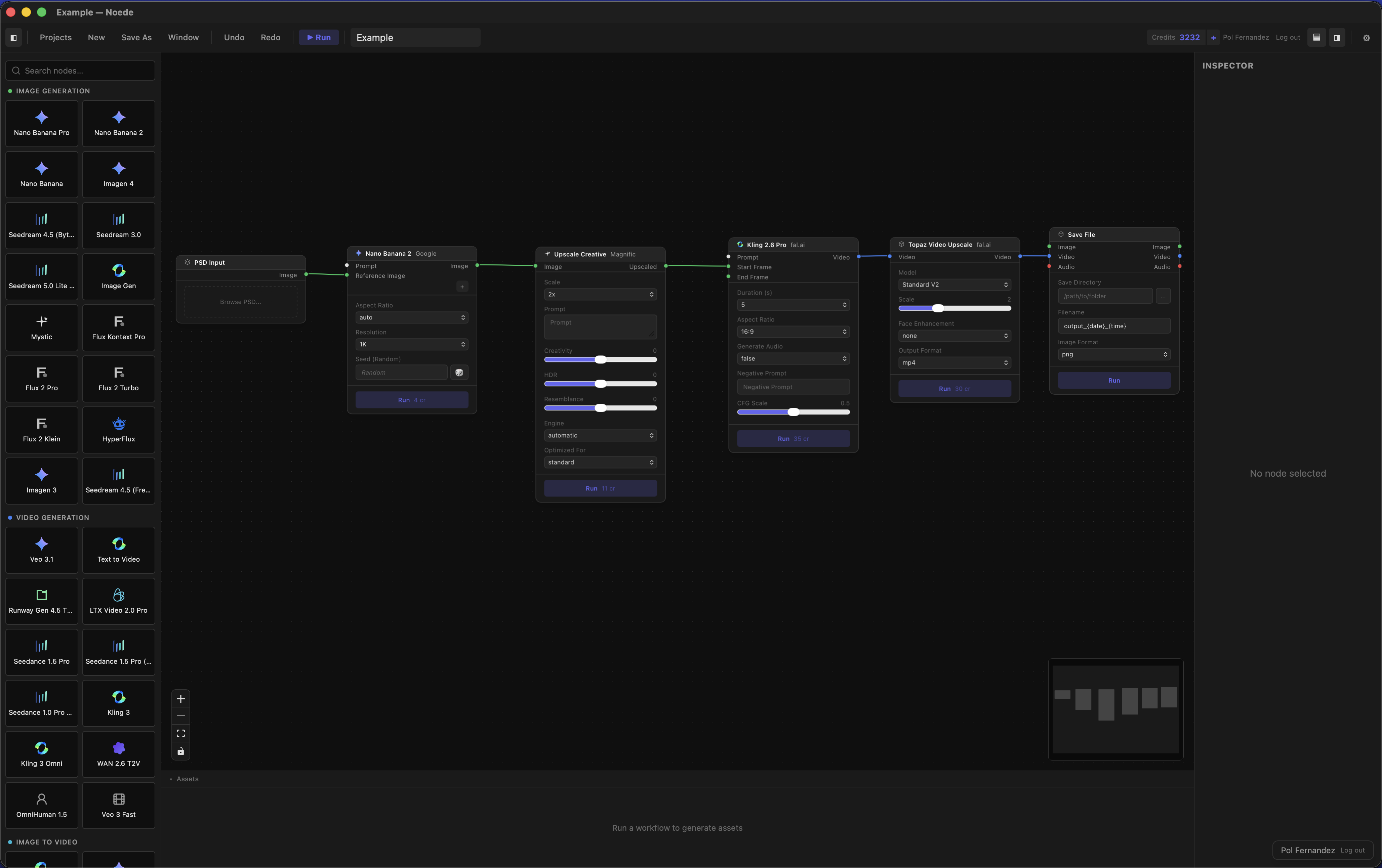
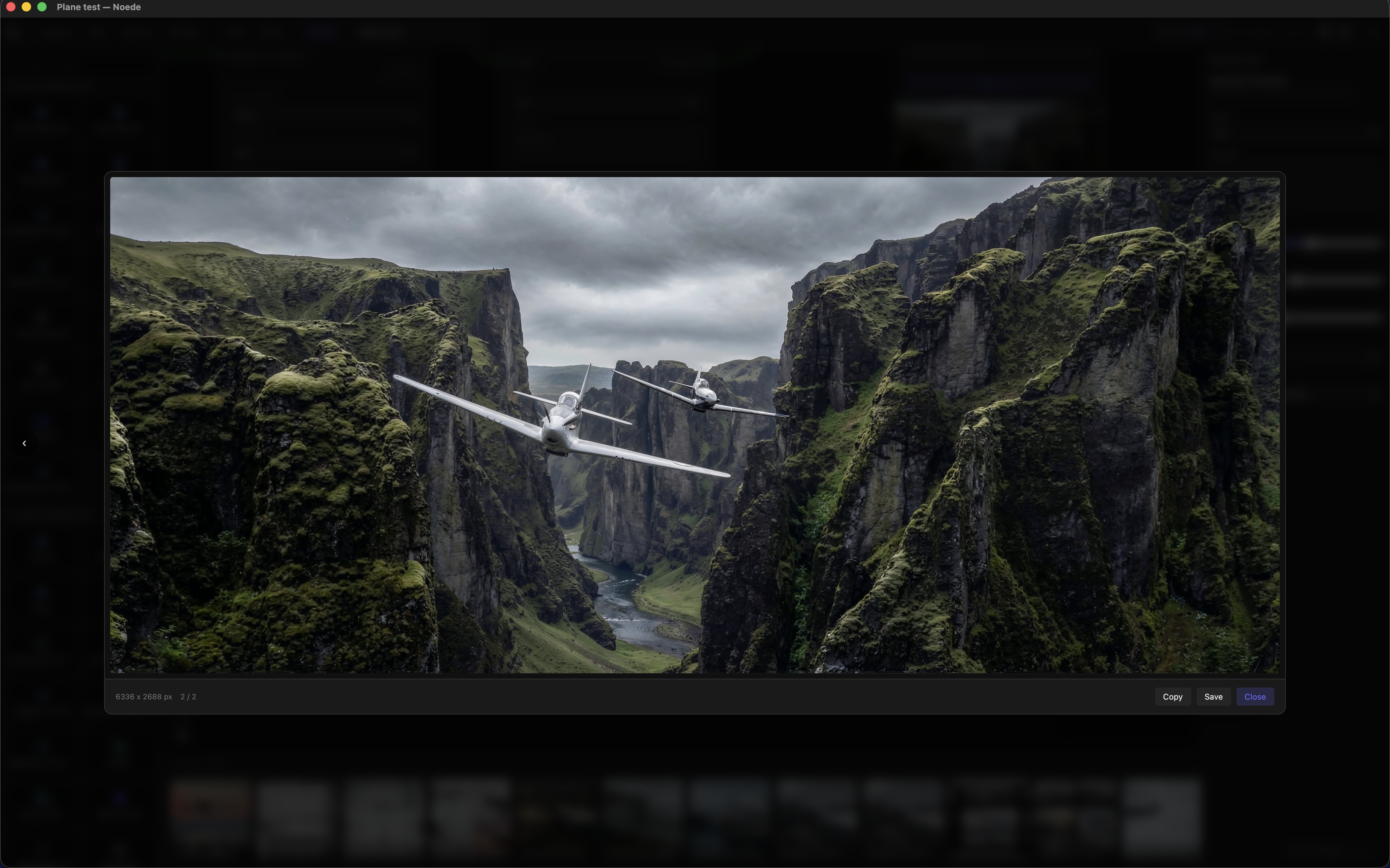
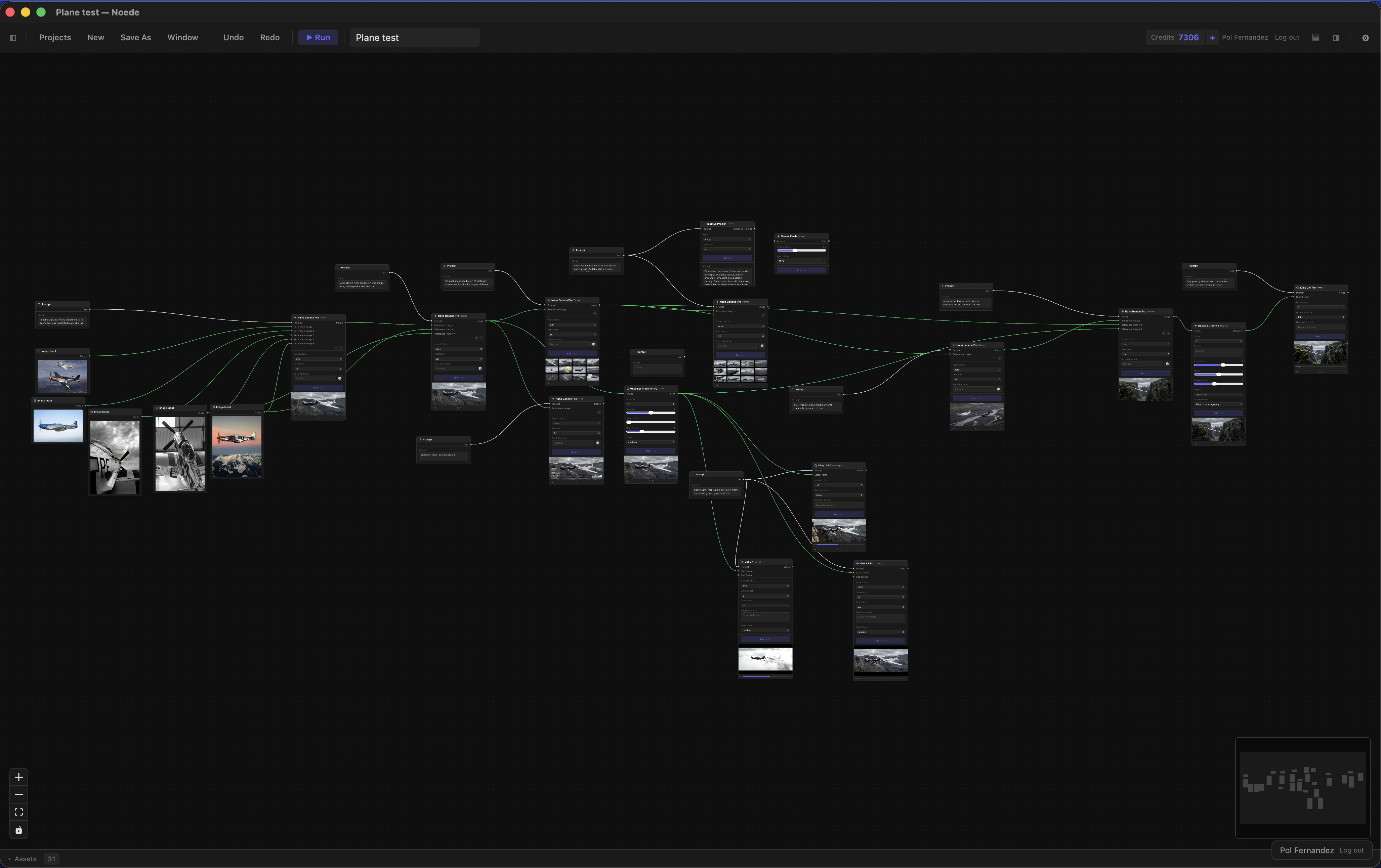
Drag, connect, and run. Noede lets you build creative AI workflows on an infinite canvas — chaining image generation, video, upscaling, and more from one desktop app.
One app. Infinite canvas. Connect models from Google, Kling, Magnific, and more into visual workflows.
Node-Based Canvas
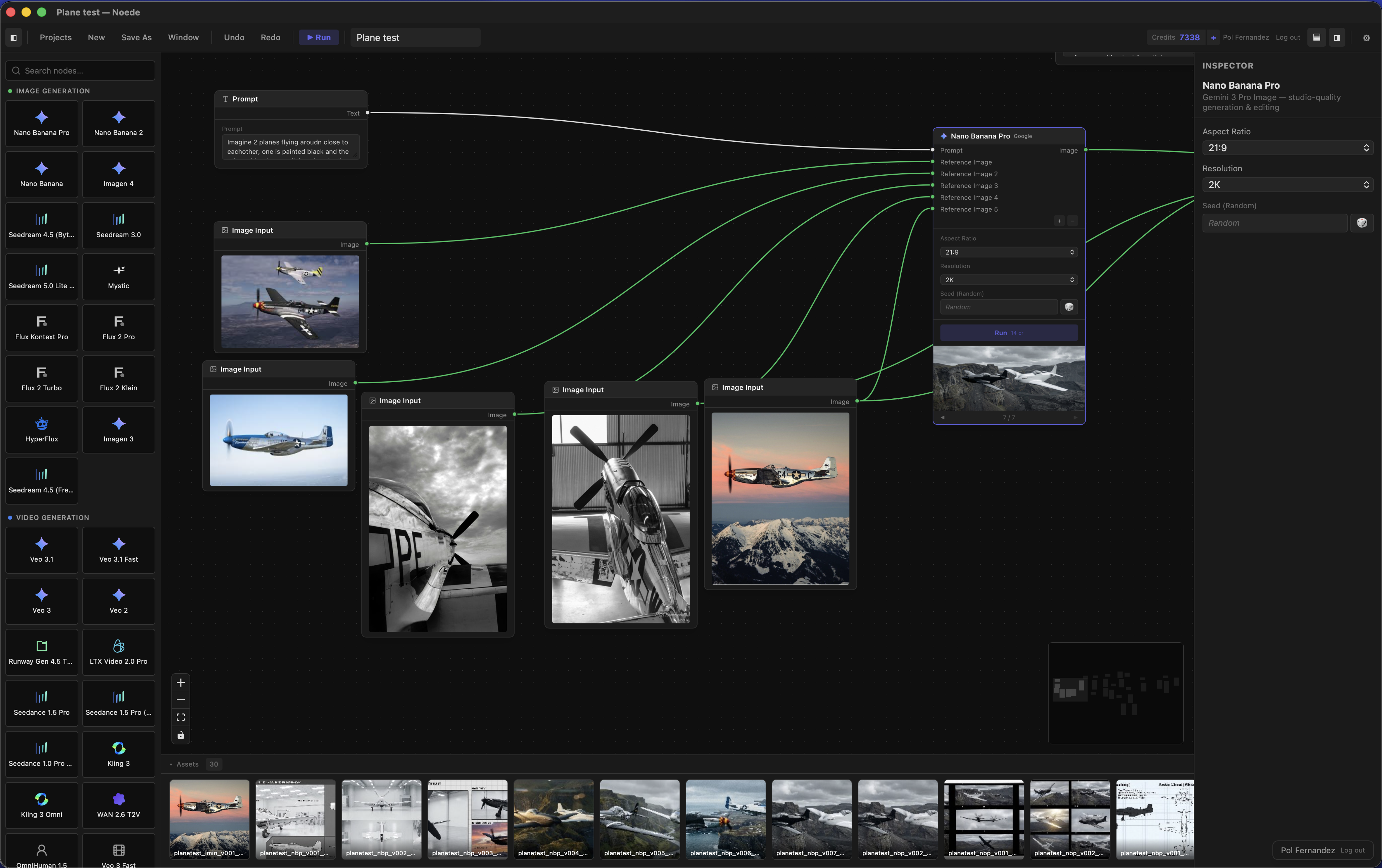
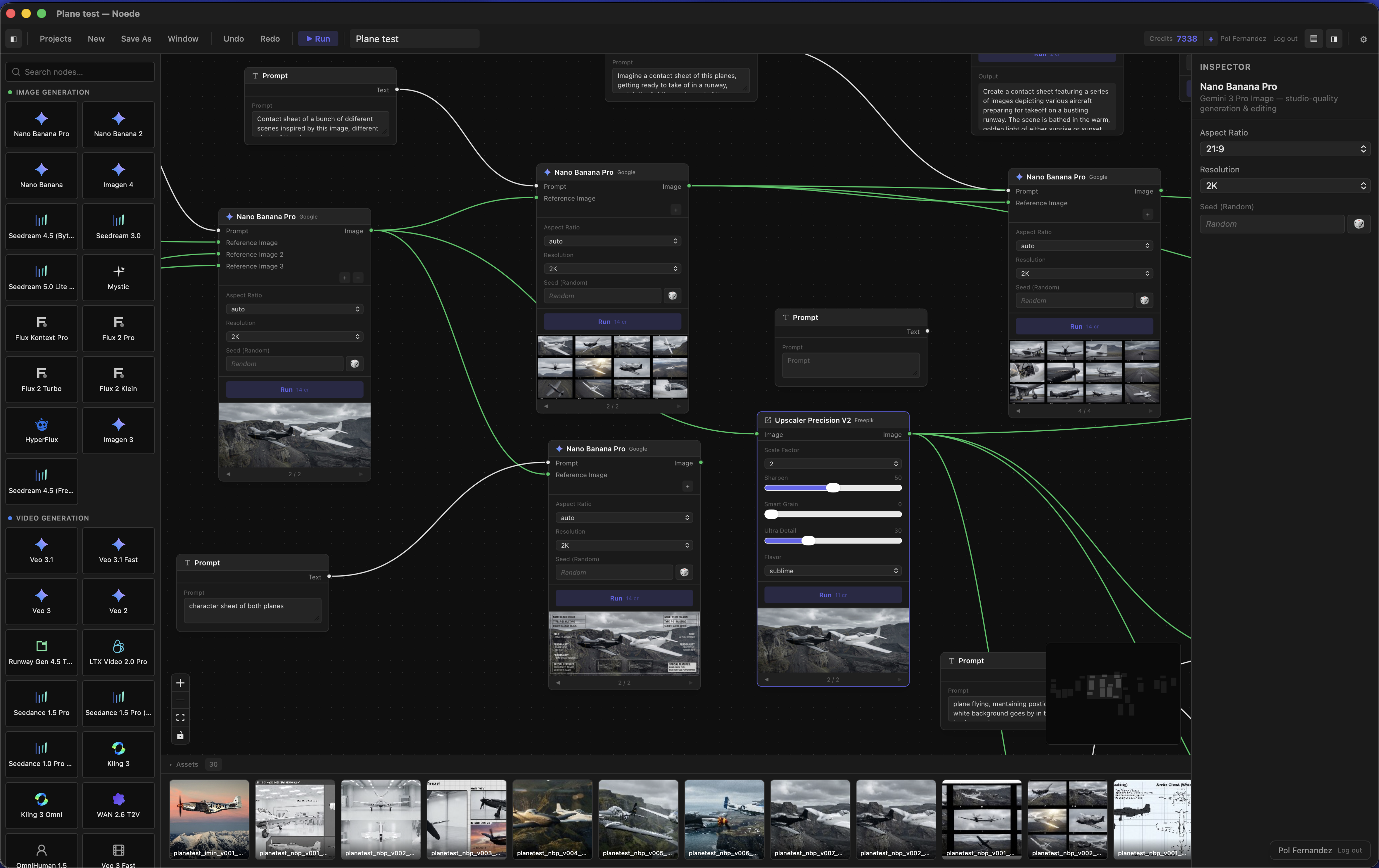
Drag nodes onto an infinite canvas, connect them visually, and watch your AI pipeline come to life. No code required.
100+ AI Nodes
From text-to-image and video generation to upscaling, lip sync, and audio creation — everything in one workspace.
Multi-Provider
Connect to Google AI, Kling, Magnific, Freepik, BytePlus, and fal.ai. Use your own API keys or platform credits.
Chain Everything
Generate an image, upscale it 4x, turn it into video, add lip sync — all in a single connected workflow.
Local-First
Your projects, assets, and files stay on your machine. AI runs in the cloud, everything else is local. No uploads, no lock-in, full ownership.
Photoshop Live Bridge
Load and save PSD files as part of your pipeline. Click "Open in Photoshop", edit your layers, and Noede auto-reloads changes — AI and Photoshop working together in real time.
Export to Creative Apps
Send your outputs directly to After Effects, Premiere Pro, and DaVinci Resolve. One click to import media into your NLE — no drag-and-drop, no file hunting.
Presets & Templates
Drag pre-built multi-node workflows from the sidebar. Multi-Angle Camera, Story Scene Generator, and more. Save your own node groups as reusable presets.
Pro Desktop App
Native macOS & Windows app with file dialogs, drag-and-drop, auto-save, undo/redo, keyboard shortcuts, and automatic updates. Built for professionals, not a browser tab.
How it works
Three steps to your first AI pipeline
1
Drop nodes
Pick from 100+ AI nodes in the sidebar. Drag them onto the canvas. Each node is a single AI operation.
2
Connect & configure
Wire outputs to inputs by dragging between ports. Adjust parameters in the inspector — prompts, styles, resolution.
3
Run the pipeline
Hit Cmd+Enter. Noede executes your workflow in the right order, shows progress, and delivers results directly on canvas.
Node library
10 categories. 100+ AI nodes.
Every node connects seamlessly. Mix and match providers to build the perfect pipeline.
Image Generation
Imagen 4, Seedream, Flux
Video Generation
Veo 3.1, Kling, Sora 2
Image to Video
Luma Ray 2, LTX, Hailuo
Upscaling
Magnific, Topaz, ESRGAN
Text / LLM
Gemini Flash
Video Effects
Lip Sync, Try-On, FX
Image Editing
Remove BG, Relight, Crop
Audio
Music, SFX, Voiceover
Utility
PSD, Collage, Export
3D
Hunyuan 3D, Tripo, Meshy
Integrations
Powered by the best AI models
Bring your own API keys or use platform credits. One app, all providers.
G
Google AI
K
Kling
M
Magnific
F
Freepik
B
BytePlus
fal
fal.ai
Including Sora 2, Luma Ray 2, Veo 3.1, Imagen 4, Flux, and more via fal.ai